Rule Sets
Create and manage custom collections of CIS controls tailored to your organization's specific compliance needs.
Log in to ConfigCobra
Access the ConfigCobra application using your credentials.
Log in at app.configcobra.com ↗ using your credentials.
Navigate to Rule Sets page
Go to the Rule Sets section in the main navigation to manage your custom rule sets.
Go to the Rule Sets page in the main navigation menu.
Create a new rule set
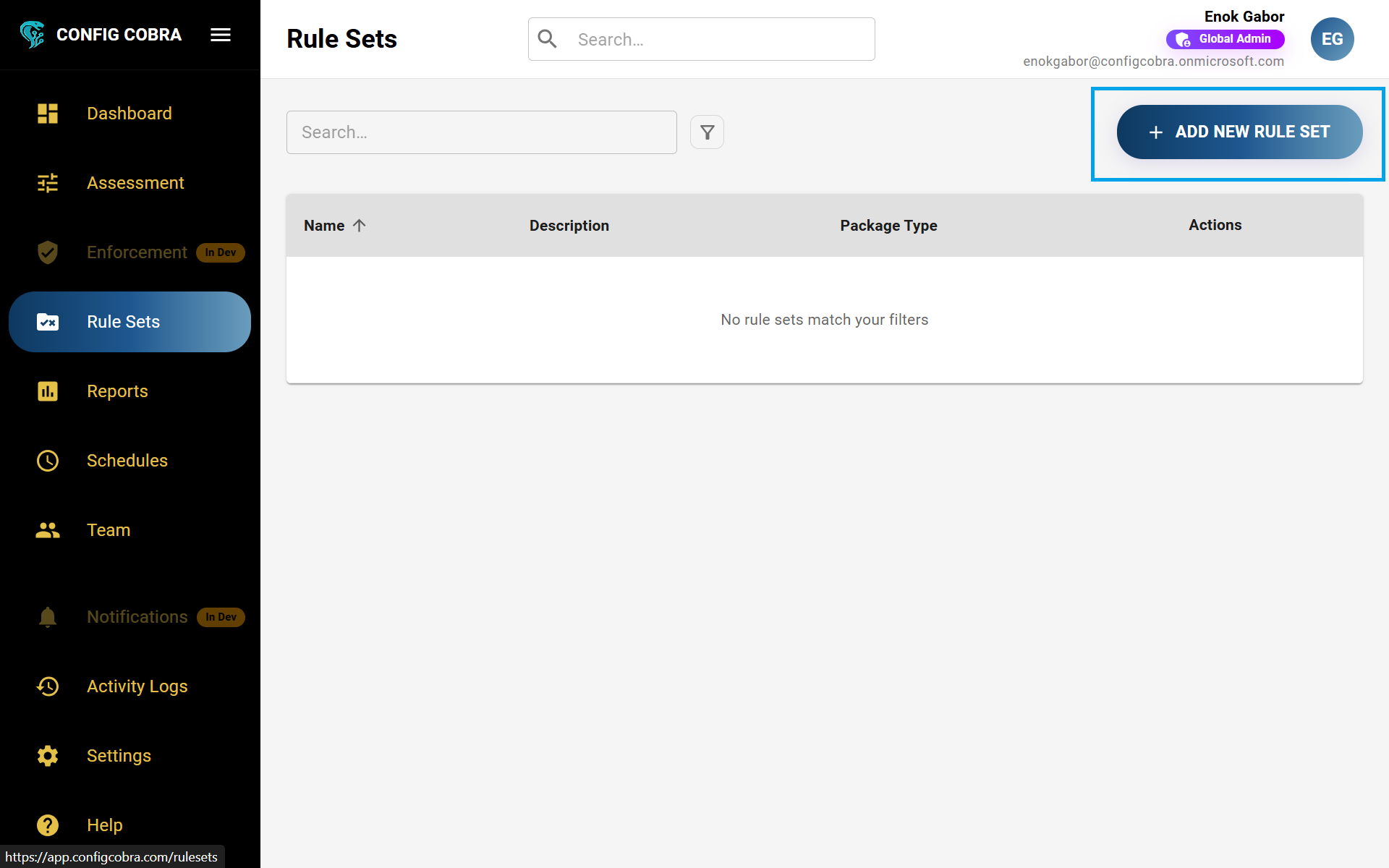
Click the Add New Rule Set button to create a custom collection of controls tailored to your needs.
Here you can create or edit existing rule sets. To create a new one:
- Press "Add New Rule Set" in the top right corner
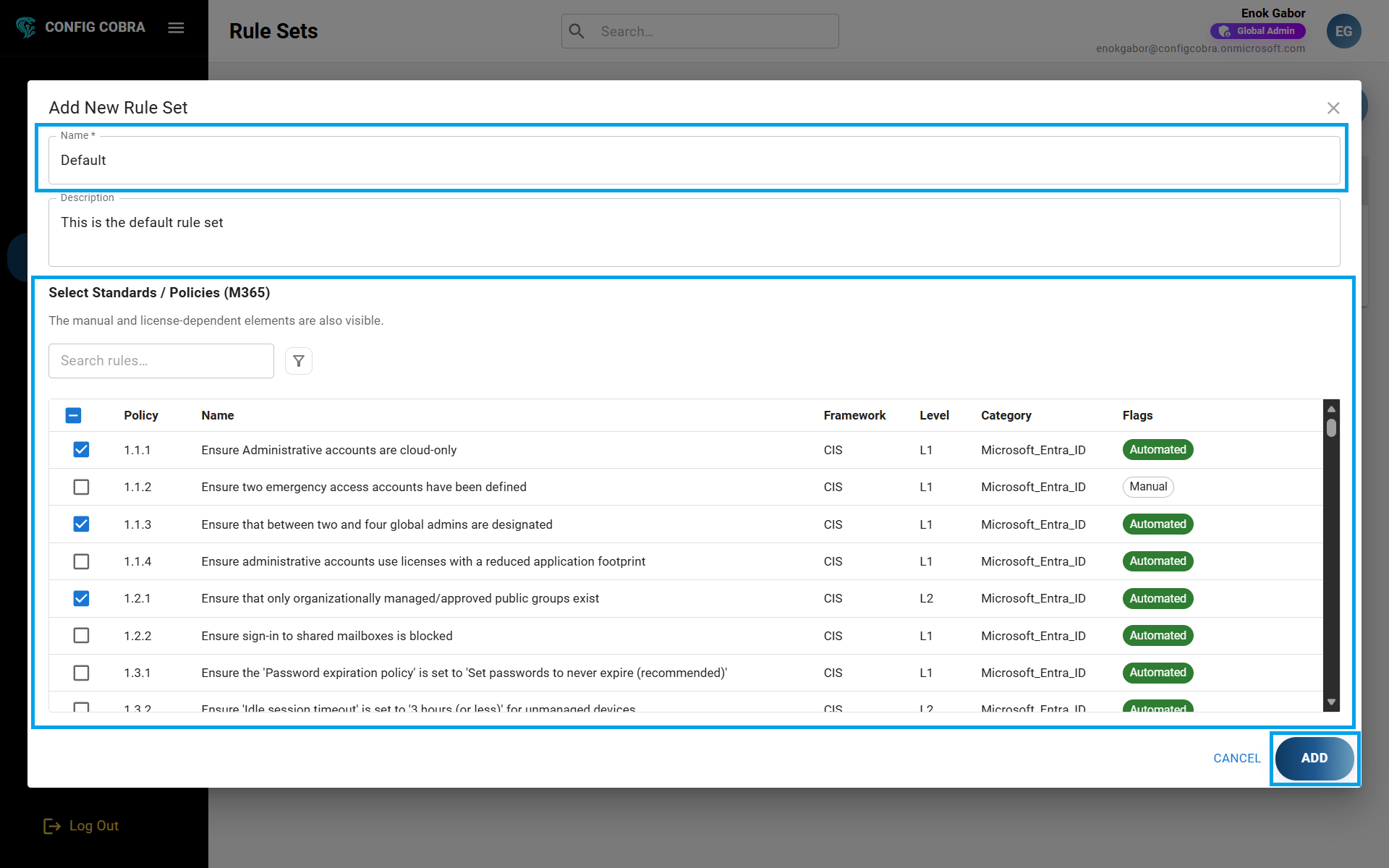
- Give a name and a description for your rule set
- Select the controls that you want to add into the rule set from the available CIS Benchmarks
- Press "Add" to create your rule set
Edit an existing rule set
Modify the name, description, or controls in your rule sets using the edit functionality.
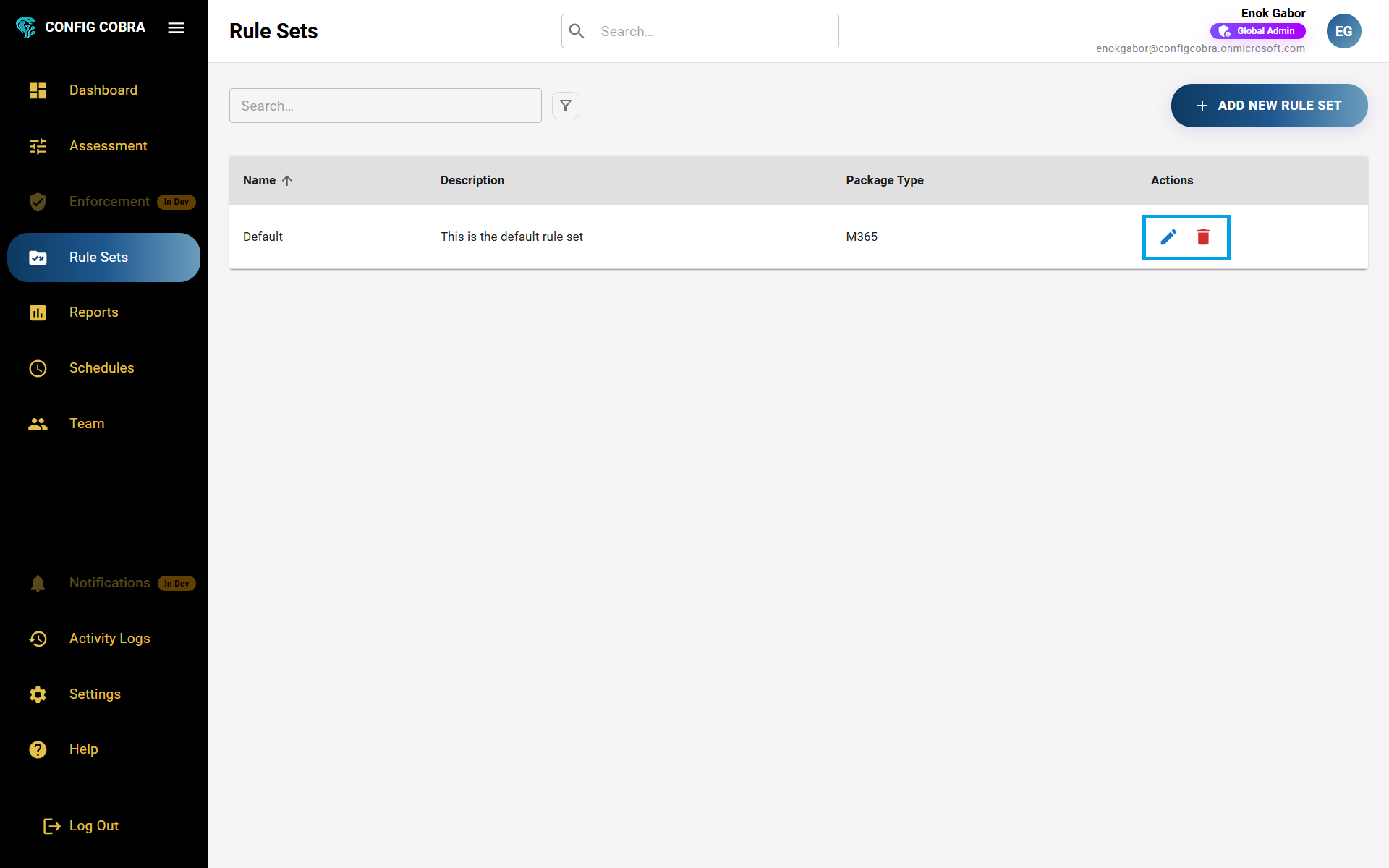
To edit a rule set, press the edit icon on the right side of the desired rule set. You can update the name, description, or modify which controls are included in the rule set.
Delete a rule set
Remove rule sets that are no longer needed from your account.
!To delete a rule set, press the delete button on the right of the desired rule set. This action cannot be undone.