Reports & Evidence
View, download, and understand CIS-aligned assessment reports. Export PDF files for compliance audits and documentation.
Log in to ConfigCobra
Access the ConfigCobra application using your credentials.
Log in at app.configcobra.com ↗ using your credentials.
Navigate to Reports page
Go to the Reports section where you can view and download all your past assessment reports.
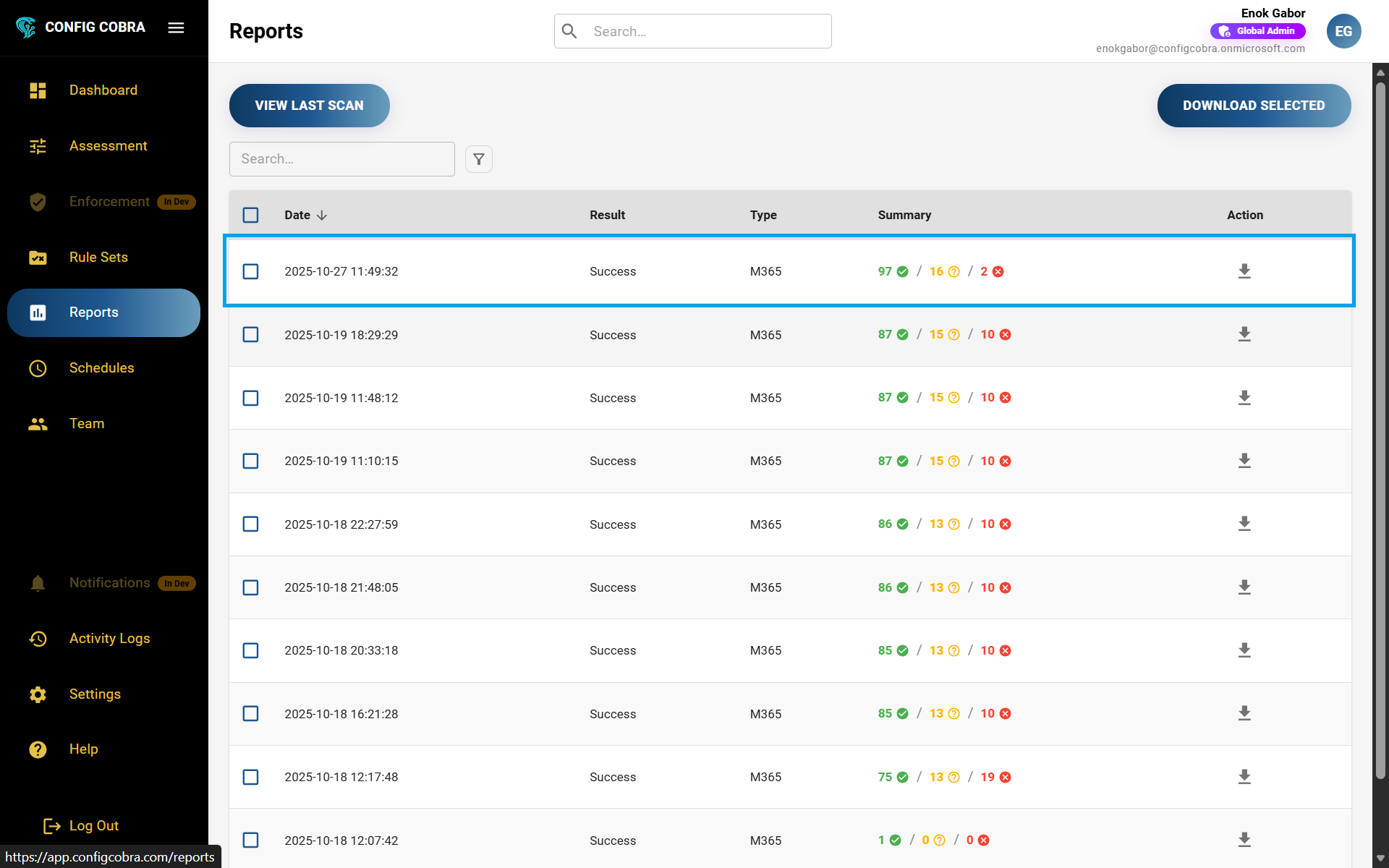
Go to the Reports tab where you can see all of your past assessments (both automated and manual). Learn more about how to run an assessment or about scheduled scans.
View assessment outcomes
Browse through all your past assessments and see their outcomes, dates, and status information.
You can see the outcomes of each assessment displayed in the reports list, including the assessment date, benchmark type, and overall compliance status.
Download reports
Export your assessment reports as PDF files for audit purposes or documentation.
You can download any report using the action button on the right side of each report. Reports are available as CIS-aligned PDF files that can be presented as evidence during audits.
Explore report details
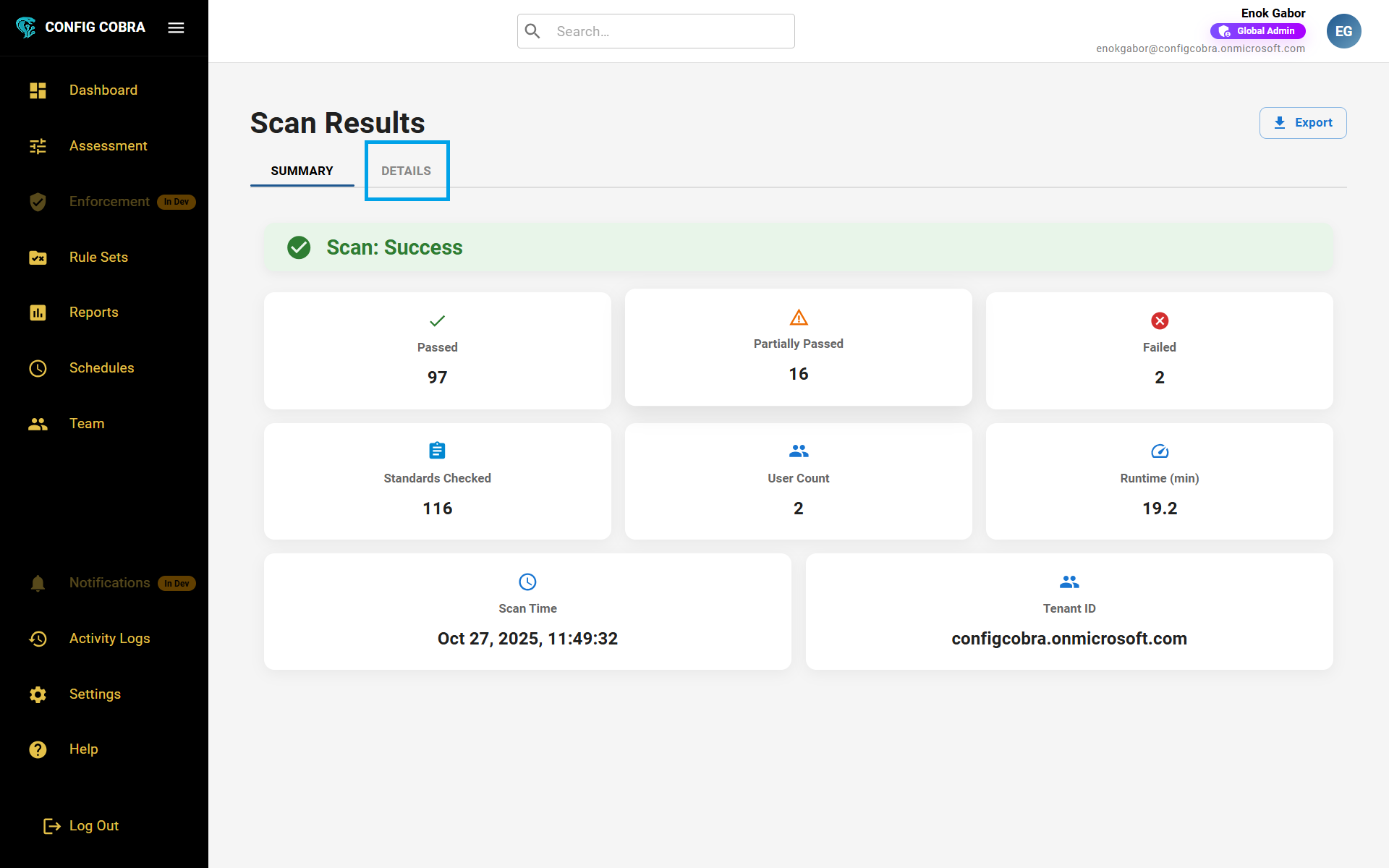
Open any report to view detailed summary information and benchmark-specific results.
Opening up a report, you can see:
- Summary tab – Overview of the assessment results, compliance scores, and key findings
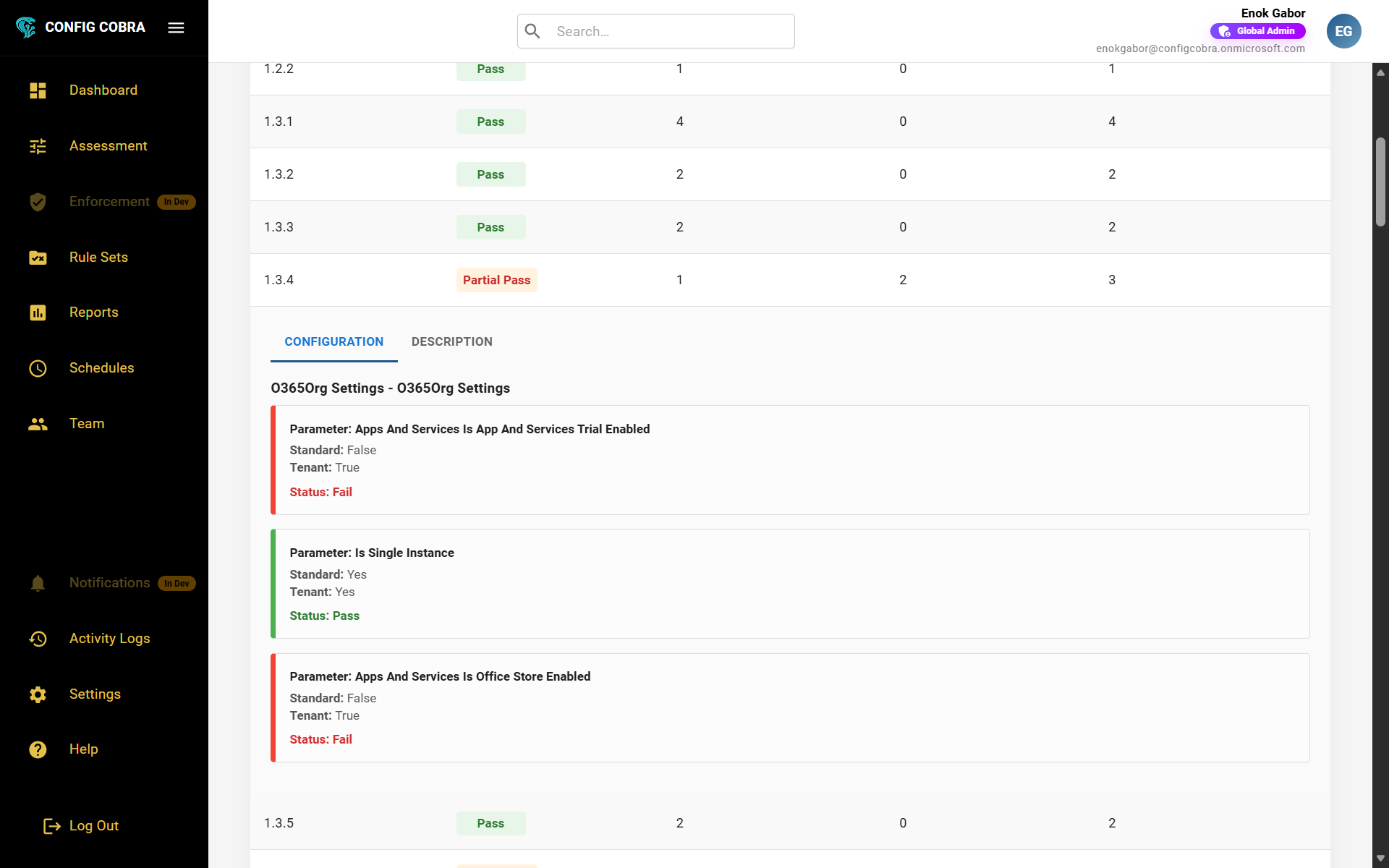
- Details tab – Results organized by benchmark. Opening each benchmark shows the individual control results and the configurations in your tenant
Understanding Outcomes #
Each control assessment will have one of three outcome statuses: