Inventory & Insights
Every user, app, device and resource.
One inventory.
Inventory & Insights lists what lives in every cloud you connect, per cloud or in one "All clouds" view. Built-in risk views point at the objects that need attention, and a relation graph shows how they connect.
The risky objects, counted for you.
Built-in risk views such as never signed in, inactive 90 days or expired app credentials. Open one and the flagged property is right there.
Inventory One inventory across your clouds, with a view per cloud.
Know what you own, and what it touches.
Read-only, with no queries to write. Export any view to CSV.
One inventory
Every object in one place.
Users, guests, groups, devices, apps, policies and cloud resources, per cloud or in an "All clouds" view, with the security properties that matter, such as public network access or minimum TLS.
See what each connector covers →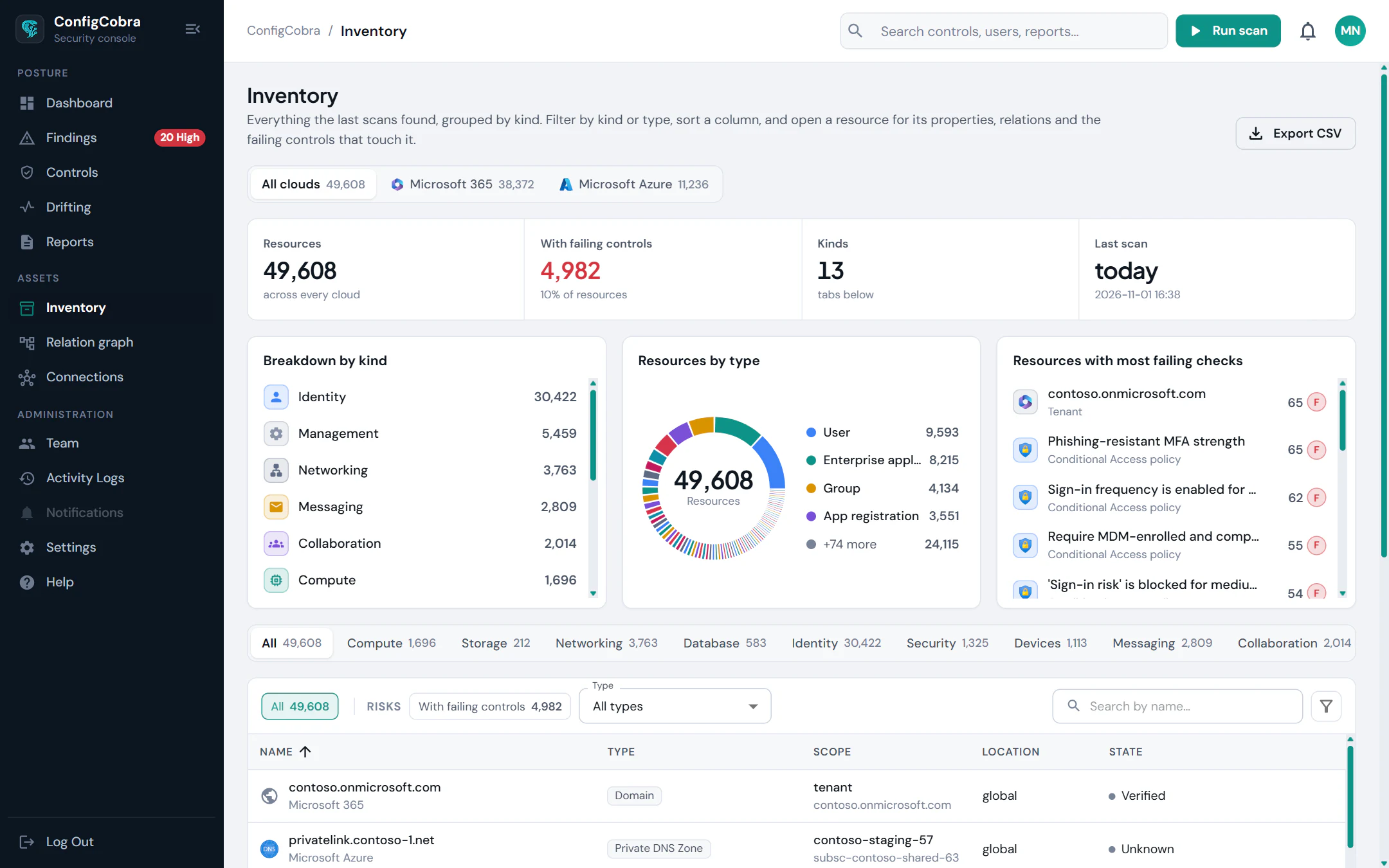
Relation graph
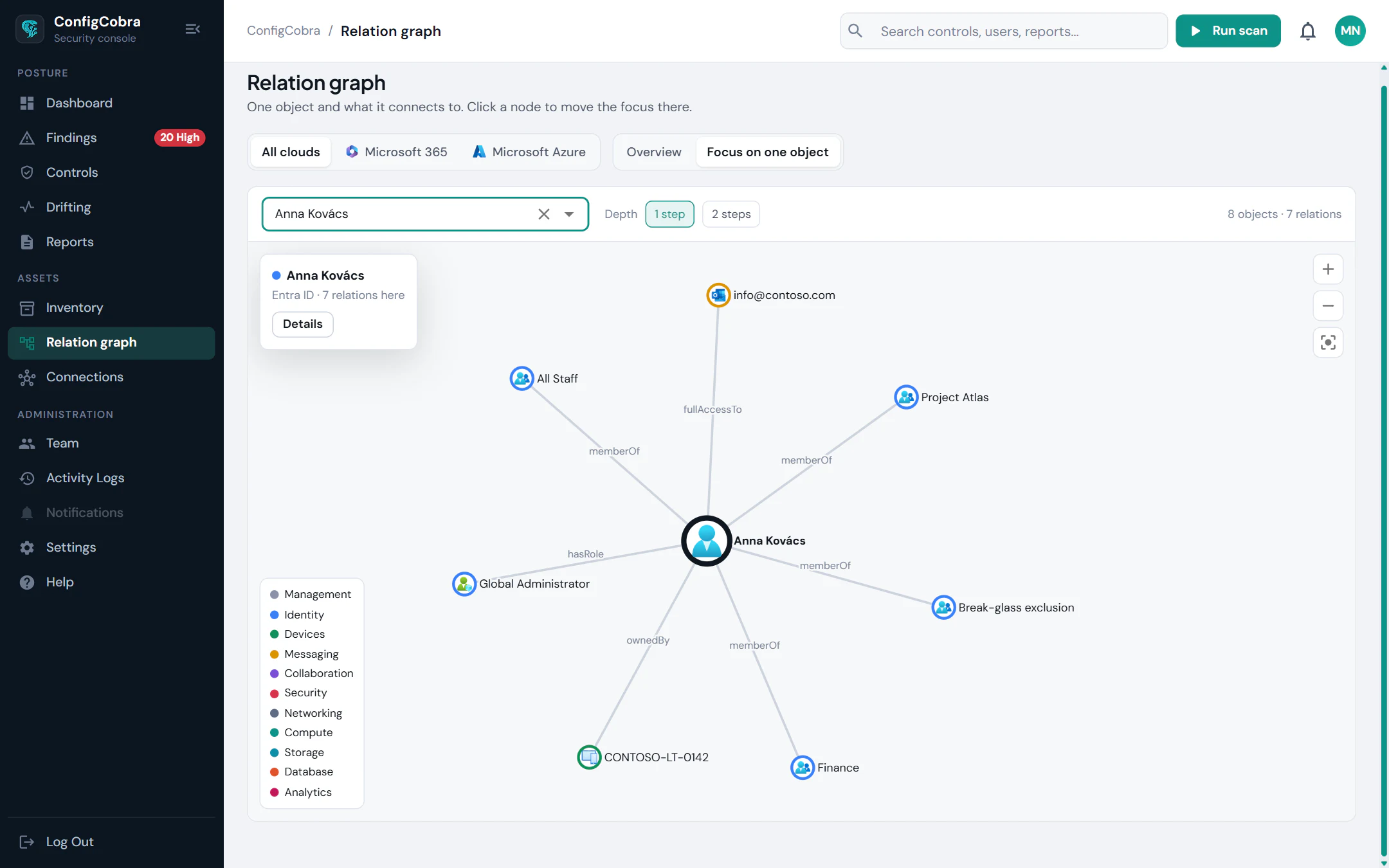
See how everything connects.
Follow a user to the groups, licences, devices, mailboxes and roles around it, and see which of them have failing controls.
Linked findings
A failing control becomes a list of objects.
Findings are linked to the inventory objects they concern, so you know exactly which users, apps or resources to fix.
Cloud Security Posture Management (CSPM) →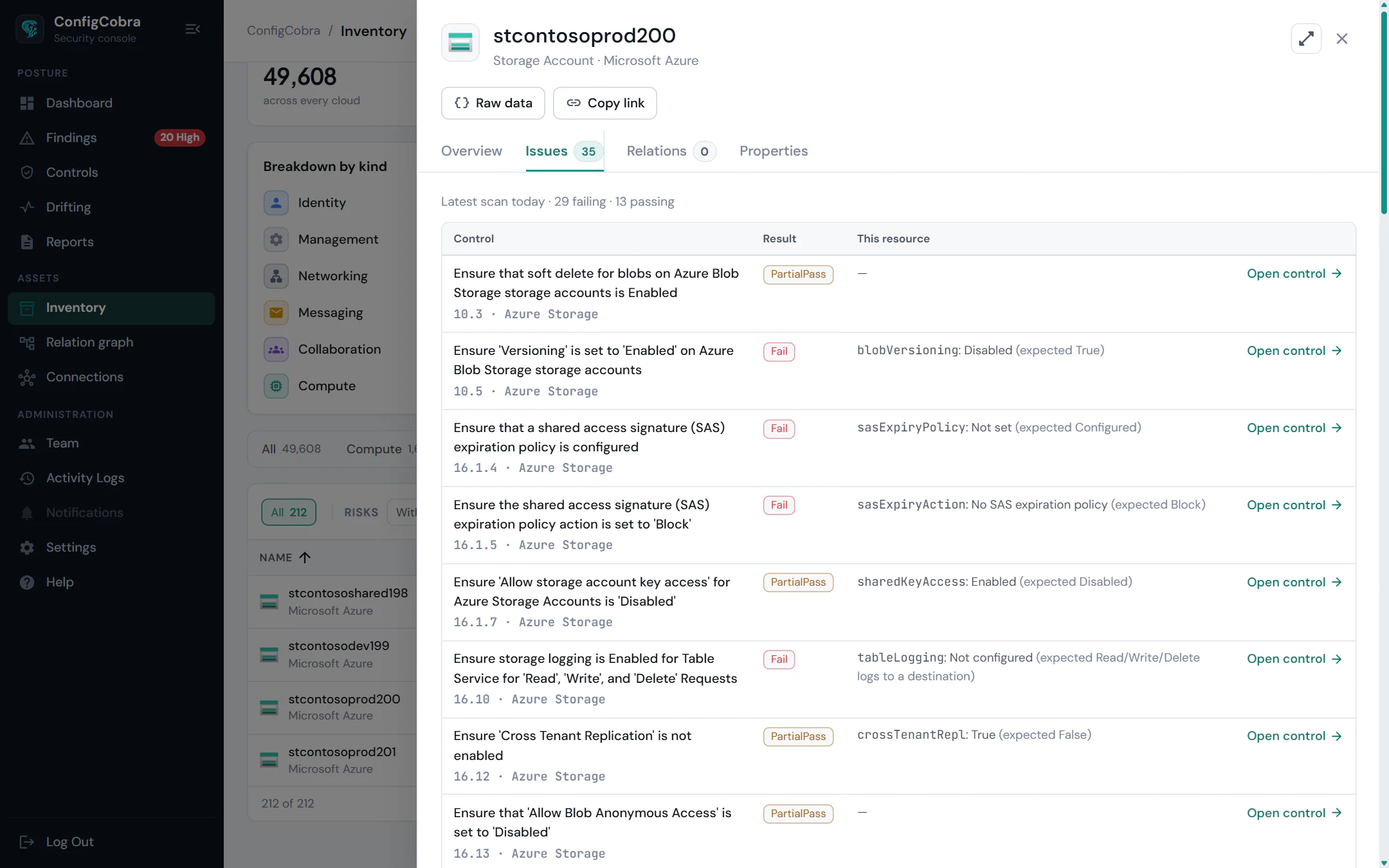
One inventory across your clouds.
One inventory with per-cloud and All clouds views
Built-in risk views
Relation graph
Findings linked to inventory objects
CSV export
Built on the same read-only scans.
- CIS controls checked today
- 898
- CIS benchmarks
- 10
- connectors live
- 4
Per-cloud benchmarks and control counts are on the connector pages.
Frequently asked questions
What does the ConfigCobra inventory include?
The objects each connector reads: for example users, guests, admins, groups, devices, apps, mailboxes, policies, domains and licences, or cloud resources such as compute, storage, networking and databases with their security properties. Each connector page lists what it covers.
Which built-in risk views are there?
For example users inactive 90 days, never signed in or with no MFA registered, guests who never signed in, groups without an owner, expired or soon-expiring app credentials and unused paid licences. Cloud resources also show security properties such as public network access.
What permissions does ConfigCobra need?
Read-only access only. Each connector page lists the exact permissions it asks for. ConfigCobra never writes to your cloud.
Can I export the inventory?
Yes. Inventory views can be exported to CSV.
Try Inventory & Insights on your own tenant.
Free trial: 14 days with full access. Read-only. Or see the whole platform.