Remediation impact analysis
Know what breaks
before you fix it.
Remediation impact analysis shows what a fix will change in your environment before you apply it: who is affected, how, and what to prepare. Then you apply the fix yourself; ConfigCobra stays read-only.
A security fix shouldn't become an outage.
The affected users, groups, mailboxes and apps, the effect on each, and an impact level, from your own data such as sign-in activity and role assignments.
Controls Filter down to what fails.
From failing control to a safe fix.
Prioritise, check the impact, then apply the fix yourself.
Prioritise
Start with the findings that matter.
Each control carries a severity estimate, so you know which failing controls to look at first. CIS itself publishes no severity; the estimate is ConfigCobra's.
Cloud Security Posture Management (CSPM) →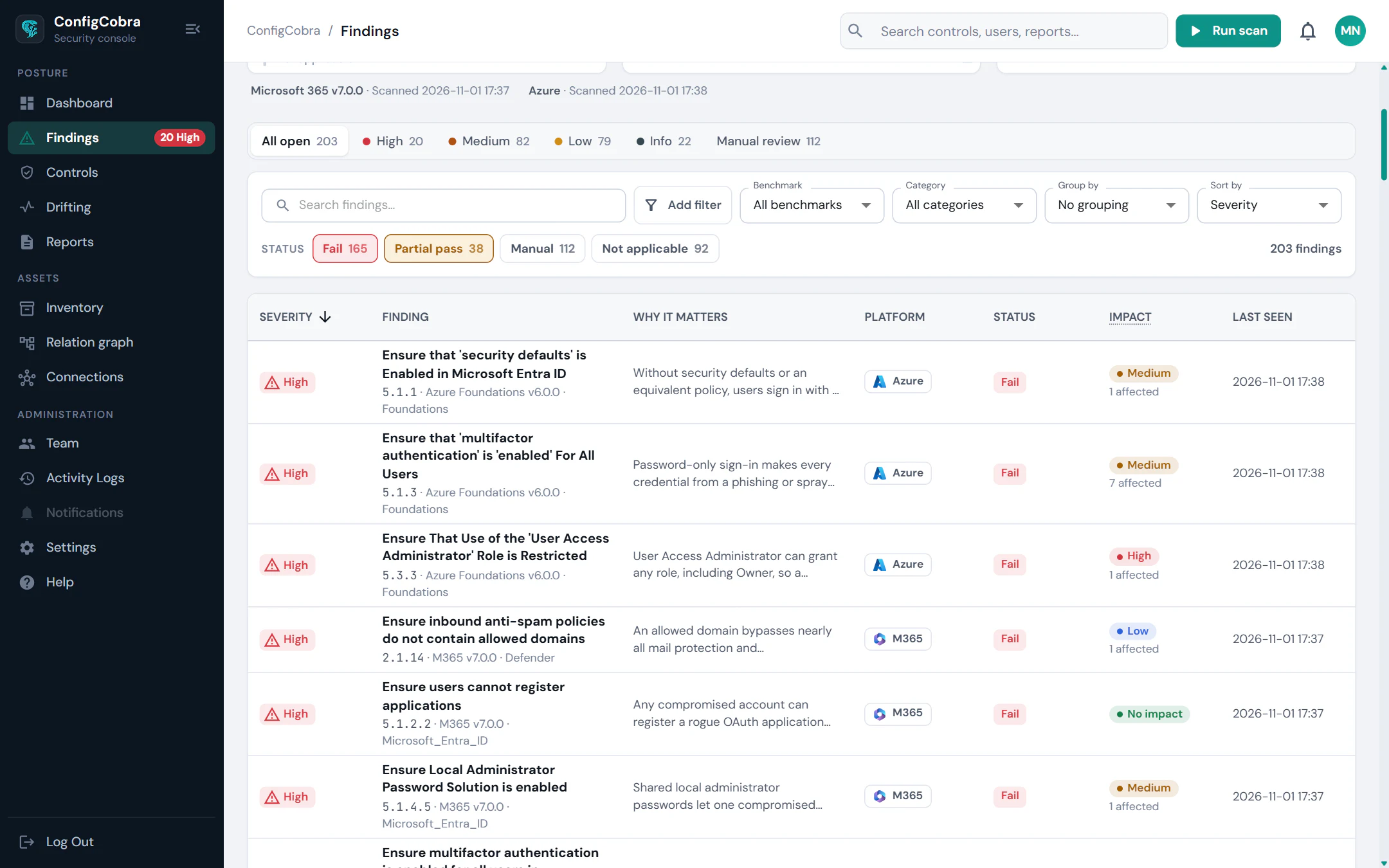
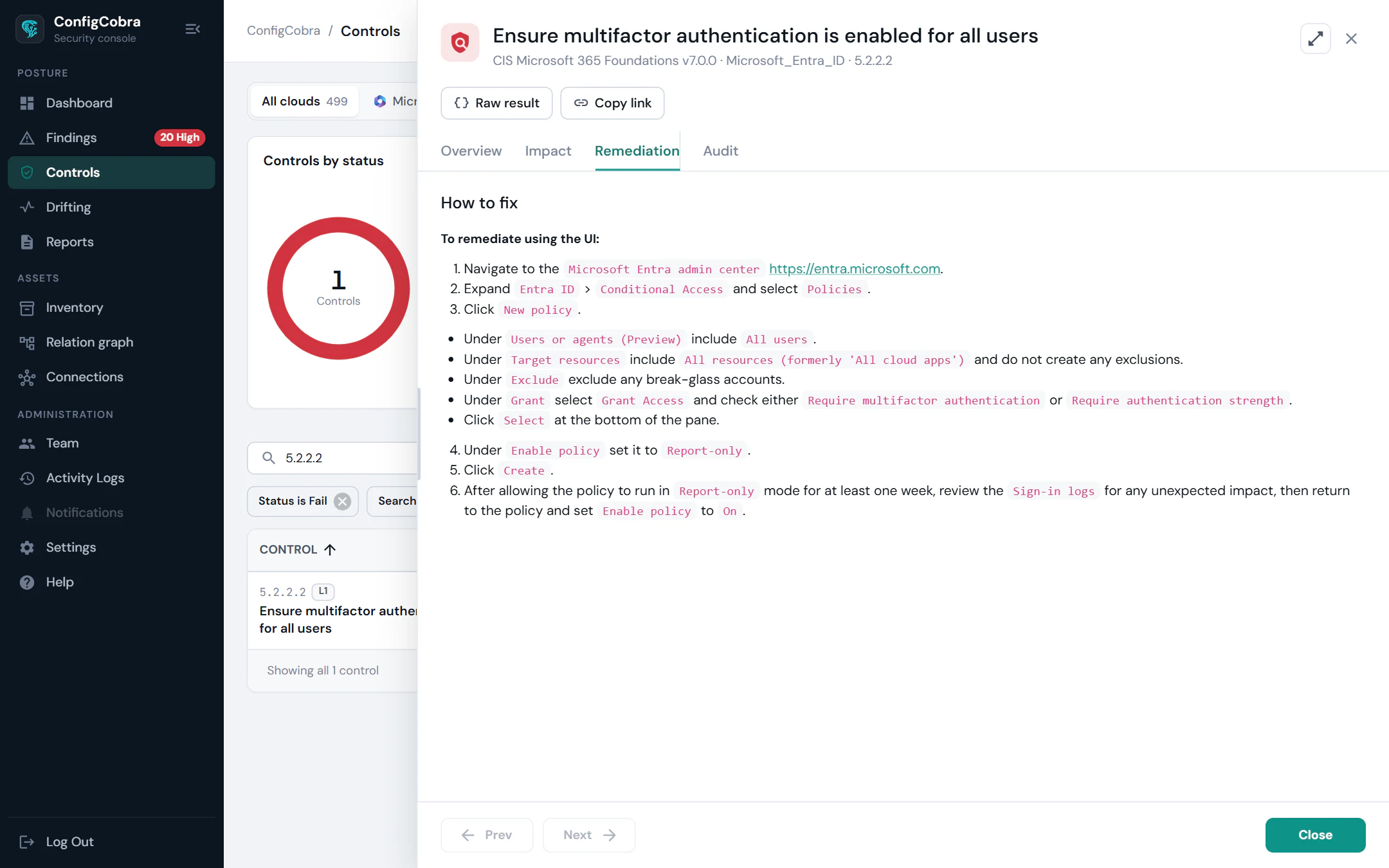
Apply it yourself
Copy-paste remediation per finding.
Every finding comes with a generated remediation script or admin portal steps. You decide when to apply it; ConfigCobra never changes your environment.
Impact levels
One level per fix: High, Medium, Low or None.
Each fix gets an impact level, High, Medium, Low or None, and every affected object comes with a confidence level and a prepare step.
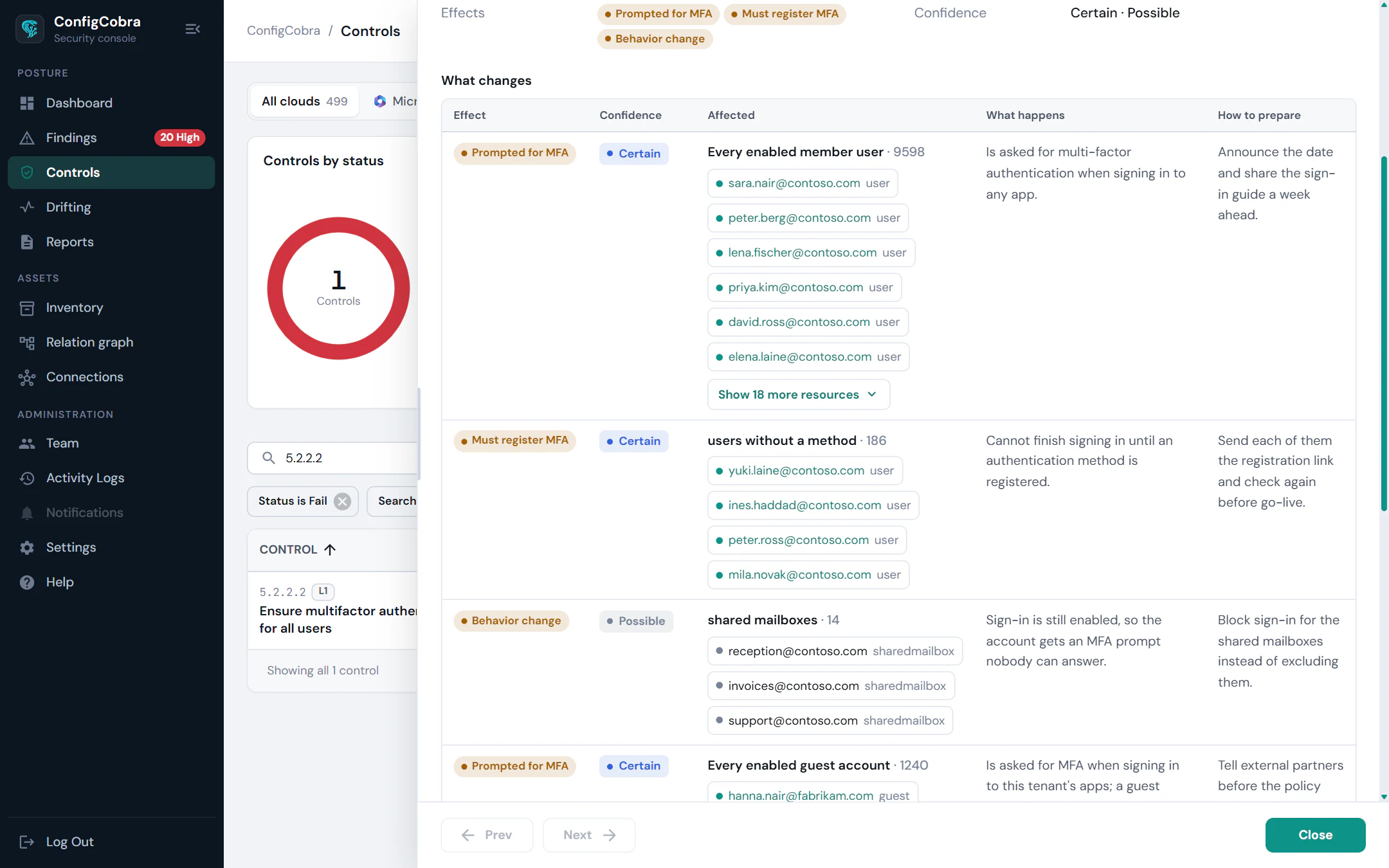
Everything you need before the change.
Remediation impact analysis: affected users, groups, mailboxes, apps and policies
Impact level per fix: High / Medium / Low / None
Copy-paste remediation scripts (PowerShell or admin portal steps)
Built on the CIS benchmarks.
- CIS controls checked today
- 898
- CIS benchmarks
- 10
- connectors live
- 4
Per-cloud benchmarks and control counts are on the connector pages.
Frequently asked questions
What is remediation impact analysis?
For a failing control, it shows what changes in your environment if you apply the fix, before you apply it: the affected users, groups, mailboxes, apps and policies, the effect on each, a confidence level and a prepare step.
Which clouds does it support?
Impact analysis is available for the connectors shown at the top of this page.
Where does the impact data come from?
From real data in your own environment, such as sign-in activity, role assignments and mail flow, not from generic guidance.
Does ConfigCobra apply the fix for me?
No. ConfigCobra uses read-only access and never changes your environment. You apply the fix yourself, using the remediation script or admin portal steps generated for the finding.
Try Remediation on your own tenant.
Free trial: 14 days with full access. Read-only. Or see the whole platform.