Monitoring & Drift
Stay compliant
after the first scan.
Monitoring & Drift scans every connected cloud automatically every day and detects drift. When a control regresses, you get an email, so a reverted setting is caught before it becomes an audit finding.
Alerted when a control regresses.
Each scan is compared with the last one. A control that goes from passed to failed is flagged as drift, and your team gets an email.
Reports Every scan is kept as a report you can open or download.
Set it once, then hear about changes.
Automatic daily, read-only scans with email notifications for findings and drift.
Daily scans
Scanned every day, without a schedule to set.
Every connected cloud is scanned automatically every day, and you can start an ad hoc scan any time.
Cloud Security Posture Management (CSPM) →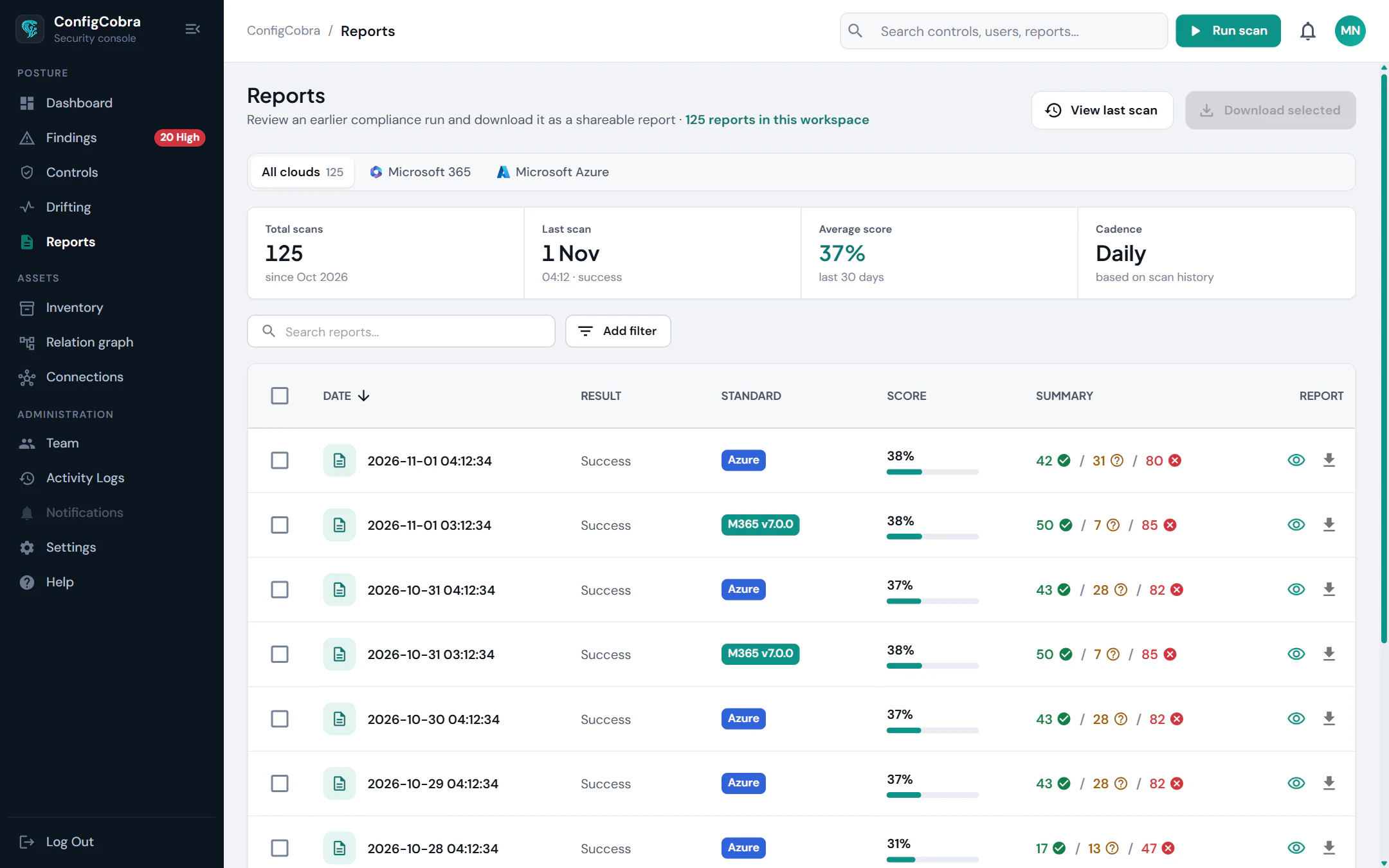
Evidence
See exactly what changed.
A regressed control is a finding like any other: the setting, what the benchmark expects, what the scan found and the objects it affects.
Reports & Evidence →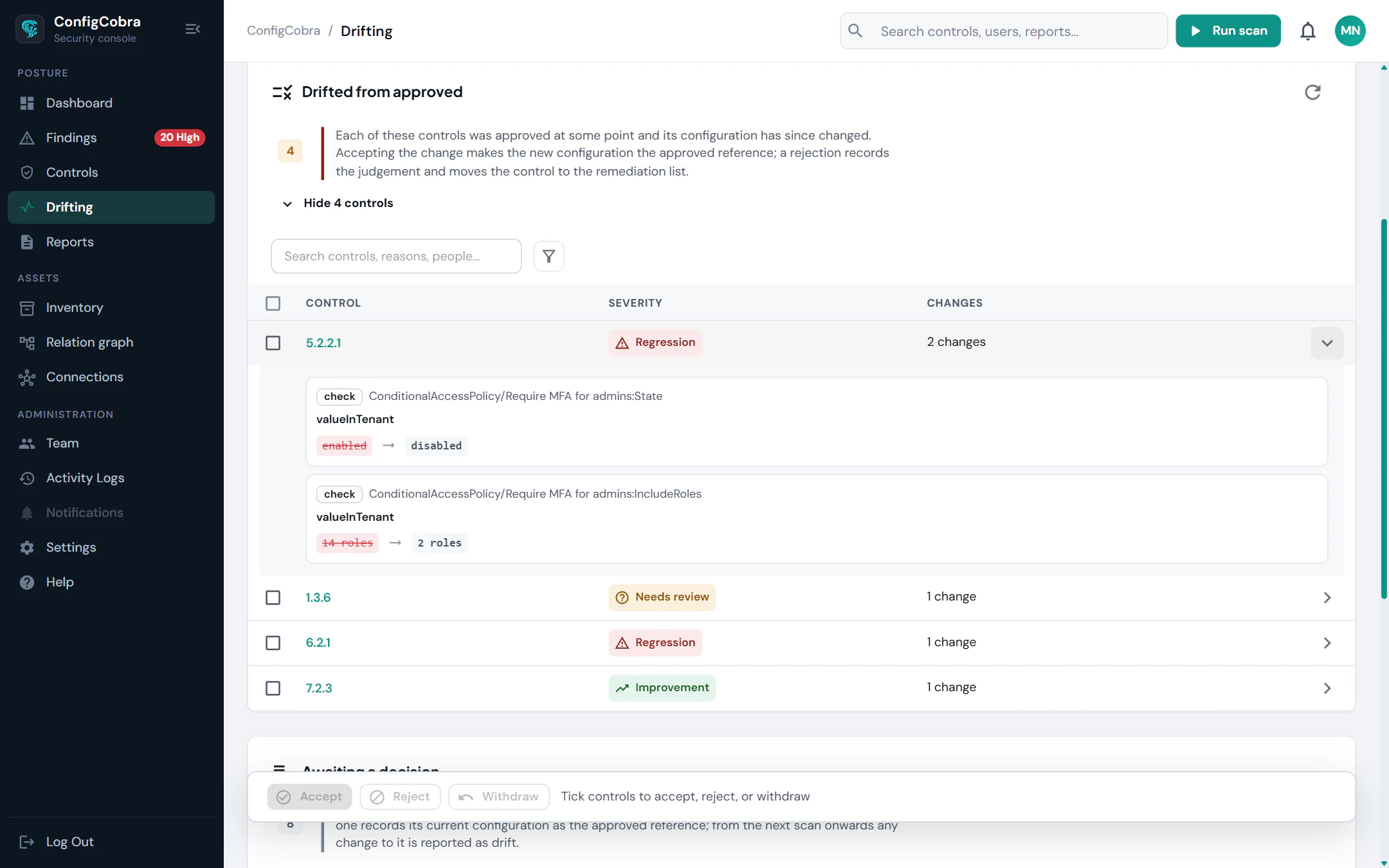
Continuous compliance, without the busywork.
Findings and drift alerts are sent by email, so nobody has to watch a dashboard.
Continuous scanning and drift detection
Automatic daily scans, plus ad hoc scans any time
Email notifications for findings and drift
Built on the CIS benchmarks.
- CIS controls checked today
- 898
- CIS benchmarks
- 10
- connectors live
- 4
Per-cloud benchmarks and control counts are on the connector pages.
Used in these solutions
Frequently asked questions
How often does ConfigCobra scan?
Automatically, every day, for every connected cloud. You can also start an ad hoc scan any time.
What happens when a control regresses?
ConfigCobra detects the drift and sends an email notification, so you can investigate and fix it.
Which notification channels are supported?
Email. Findings and drift alerts are sent by email.
Which clouds does monitoring cover?
The connectors shown at the top of this page.
Try Monitoring & Drift on your own tenant.
Free trial: 14 days with full access. Read-only. Or see the whole platform.