Reports & Evidence
Evidence your auditor
can work with.
Reports & Evidence turns a scan into a PDF report with findings, evidence and a timestamped snapshot, plus an audit-ready evidence export. Invite clients or external auditors with a read-only seat.
Findings, evidence and a timestamped snapshot.
One PDF that shows every result, the evidence behind it, and exactly what was checked and when.
Reports Every scan is kept as a report you can open or download.
Proof, not screenshots.
The same read-only scans feed the report, the evidence export and the auditor's view.
Evidence
Every finding shows its evidence.
Each finding shows the setting that failed, what the benchmark expects, what the scan found and the objects it affects.
Cloud Security Posture Management (CSPM) →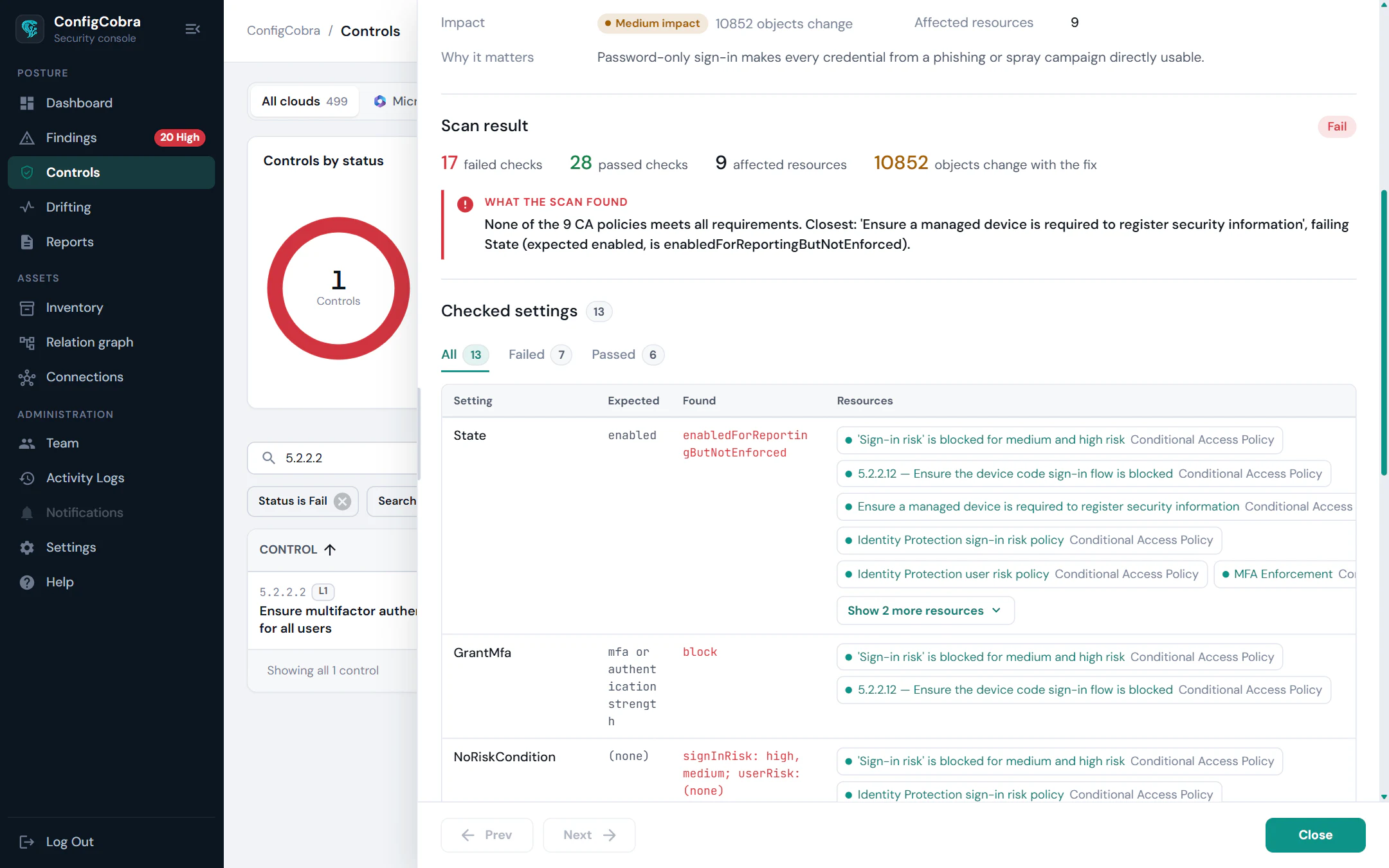
Every scan
Download the report for any scan.
Scans are listed with their result, standard and score, ready to download as a PDF report.
Monitoring & drift →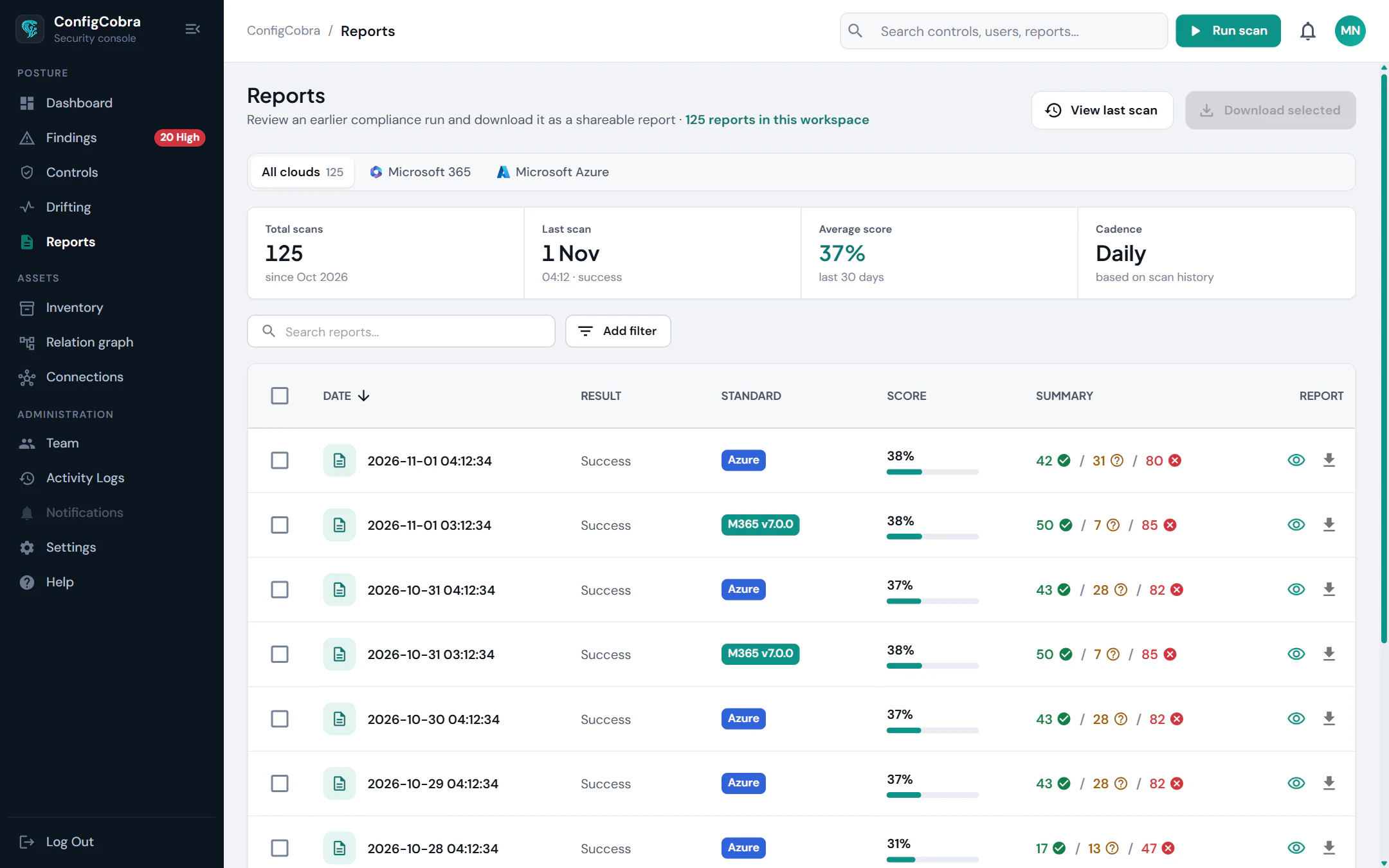
Built for audits and the people who run them.
Invite clients or external auditors with a read-only auditor seat. Team management and activity logs show who did what.
PDF report with findings, evidence and a timestamped tenant snapshot
Audit-ready evidence export
Read-only auditor seat
Team management and activity logs
Built on the CIS benchmarks.
- CIS controls checked today
- 898
- CIS benchmarks
- 10
- connectors live
- 4
Per-cloud benchmarks and control counts are on the connector pages.
Used in these solutions
Frequently asked questions
What is in the PDF report?
Findings, evidence and a timestamped snapshot. Each finding also comes with a copy-paste remediation script or admin portal steps.
Can an external auditor see our results?
Yes. Invite clients or external auditors with a read-only auditor seat.
Can I see who did what in the workspace?
Yes. ConfigCobra keeps activity logs alongside team management.
Which clouds do reports cover?
The connectors shown at the top of this page.
Try Reports & Evidence on your own tenant.
Free trial: 14 days with full access. Read-only. Or see the whole platform.