Identity & Access Governance
Find inactive users, guests,
admins and risky apps.
One read-only inventory of everyone and everything that can get in, with built-in risk views that show where to look first.
Identity risk views for
Who can get in, and who should not.
Inactive users, guests who never signed in, admins and high-privilege apps, counted and listed for you.
Inventory One inventory across your clouds, with a view per cloud.
Review access without building a spreadsheet.
Risk views
Stale accounts, flagged for you.
Built-in views list users inactive for 90 days, accounts that never signed in, guests who never signed in and users with no MFA registered.
Inventory & Insights →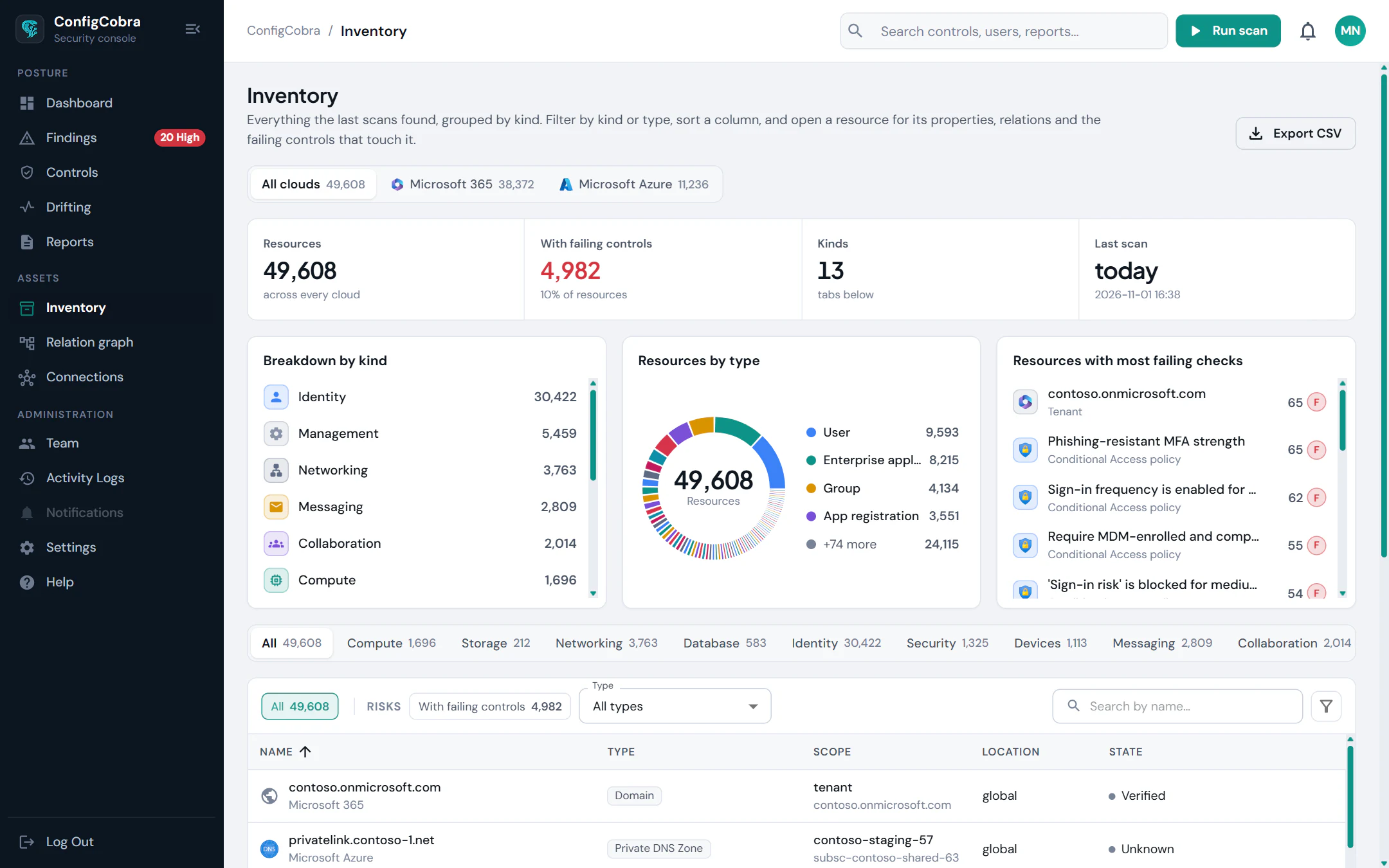
Relation graph
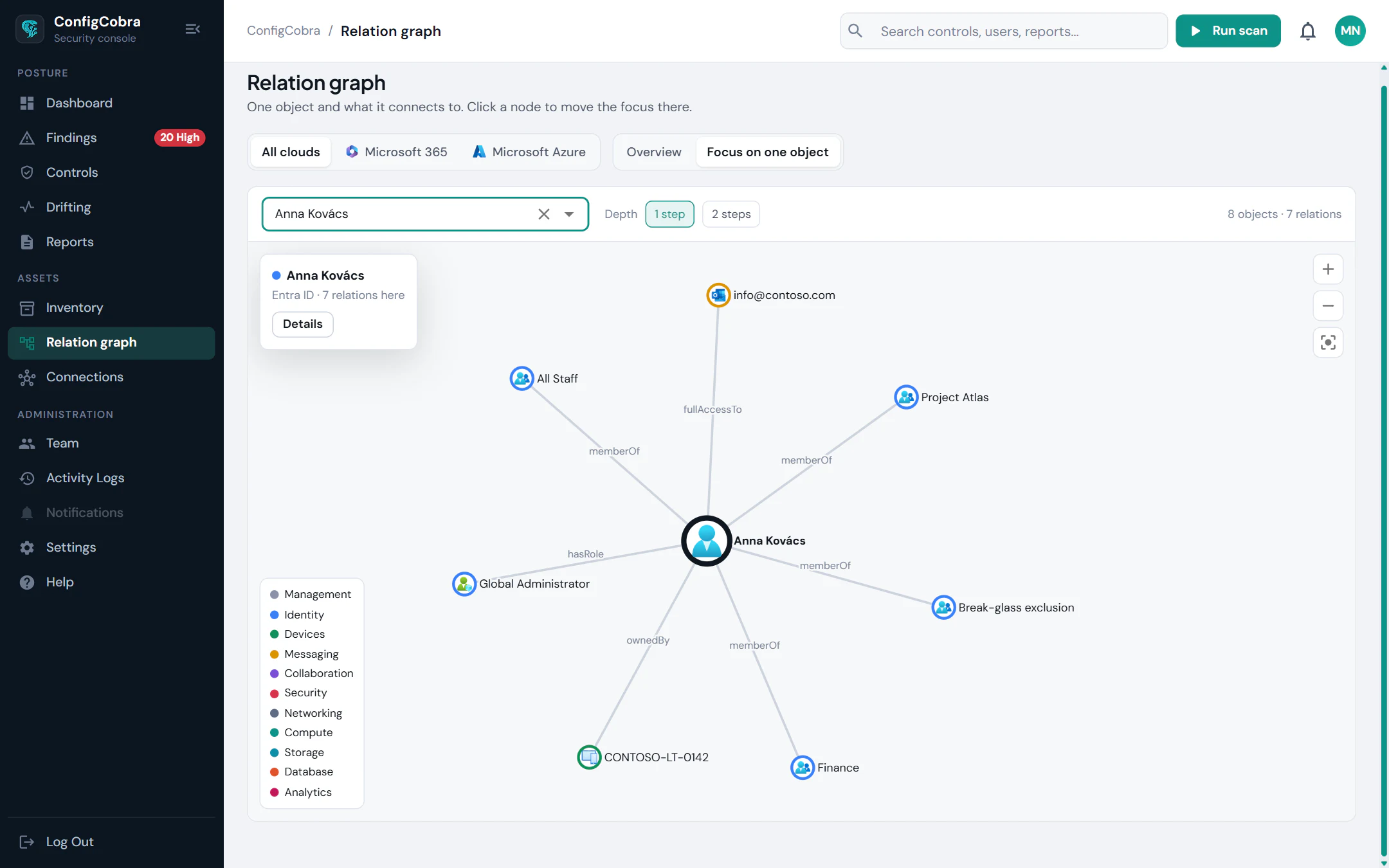
See what an account touches.
Memberships, ownership, roles, licences and policy scope in one graph, so you know what depends on a user or app before anyone changes it.
Impact
Tighten access without surprises.
See which users, groups and apps a fix such as requiring MFA affects, before you apply it.
Remediation impact analysis →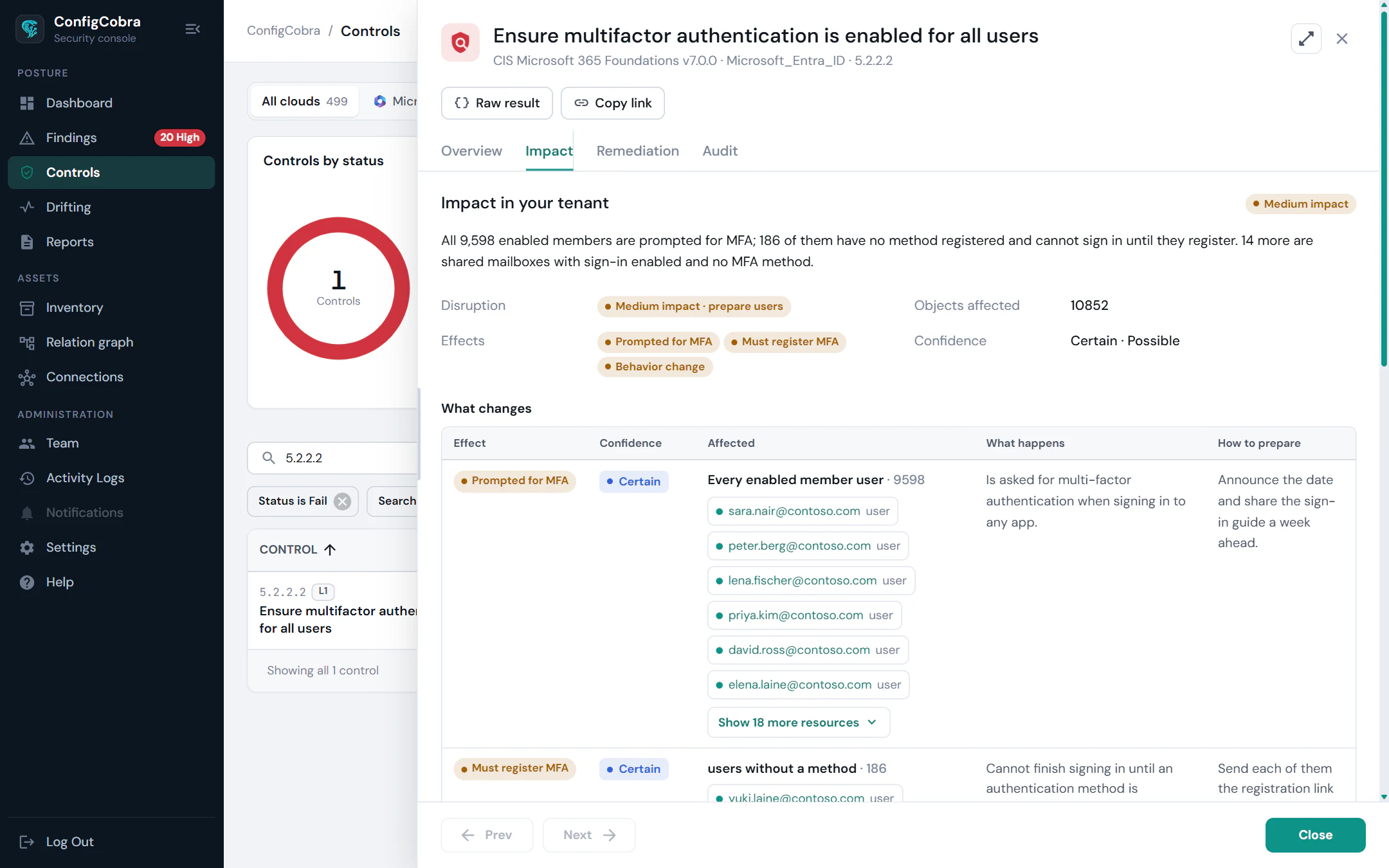
The questions you get asked, answered in one click.
Users inactive for 90 days
Users who never signed in
Guests who never signed in
Users with no MFA registered
High-privilege app permissions
Groups without an owner
Expired or soon-expiring app credentials
External mail forwarding
Relation graph
CSV export of every list
Frequently asked questions
Does ConfigCobra disable inactive users or remove guests?
No. ConfigCobra is read-only and never changes your tenant. It lists inactive users, guests who never signed in and other risky objects; your admins review the list and act on it.
Which risk views are included?
Among others: users inactive for 90 days, users who never signed in, users with no MFA registered, guests who never signed in, groups without an owner, apps with high-privilege permissions, expired or soon-expiring app credentials and external mail forwarding.
Which clouds does it work on?
The identity risk views work on the connectors shown at the top of this page. Each connector page lists what its inventory covers.
Can I export the lists?
Yes. Inventory lists, including the risk views, can be exported to CSV.
See it on your own tenant.
Start a 14-day free trial with full access, or ask us for a quote. Read-only access: ConfigCobra never changes your tenant.